How to Setup Deep Live Cam with OBS Studio for Seamless Live Streaming
How to Setup Deep Live Cam with OBS Studio for Seamless Live Streaming
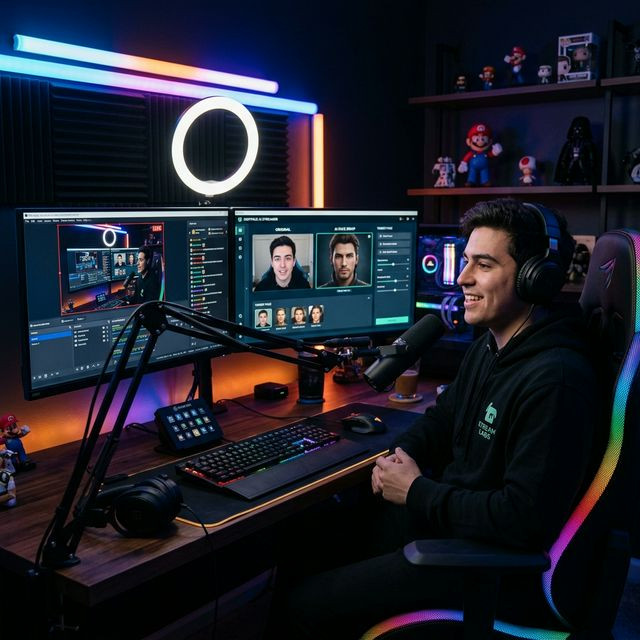
Broadcasting to thousands of viewers on Twitch or YouTube requires rock-solid stability. If you want to integrate an AI face swap into your live broadcast, you cannot afford software crashes or frame drops. The absolute best way to route your synthesized face to the world is by marrying Deep Live Cam with OBS (Open Broadcaster Software) Studio via a Virtual Camera.
The Virtual Camera Bridge
Deep Live Cam operates by intercepting your physical webcam feed, processing the neural networks to swap the face, and then playing back the altered video. But OBS can't directly read from a closed application. This is where the Virtual Camera comes in. The virtual camera module takes the processed Deep Live Cam feed and disguises it as a physical USB webcam that OBS can easily recognize.
Step-by-Step Configuration Guide
- Launch Deep Live Cam: Select your source image and ensure the face tracking is locked onto your webcam feed smoothly. Check the 'Face Enhancement' switch if you need extra upscaling.
- Activate the Feed: Click the "Start Virtual Camera" button within the Deep Live Cam interface. The software is now broadcasting its output locally.
- Add Source in OBS: Open your OBS scene. Click the "+" icon under "Sources" and select "Video Capture Device."
- Select the AI Camera: In the device dropdown, look for "Deep Live Virtual Cam" (or similar native driver). Do *not* select your physical Logitech or Razer camera.
- Match Aspect Ratio: Ensure the OBS source resolution strictly matches the output resolution of Deep Live Cam (usually 1080p or 720p) to prevent blurry upscaling.
By keeping the AI processing separate from the broadcasting encoder, you spread the computational load, ensuring maximum stream health while delivering Hollywood-level visual effects directly to your subscribers.

